Blog and website owners
Reduce heavy image files, export WebP assets, and prepare visuals before publishing pages or articles.
No cloud uploads required. Simply drag and drop to compress instantly, completely removing Exif metadata (like location info). A professional tool that balances privacy and beautiful image quality.
* No credit card required
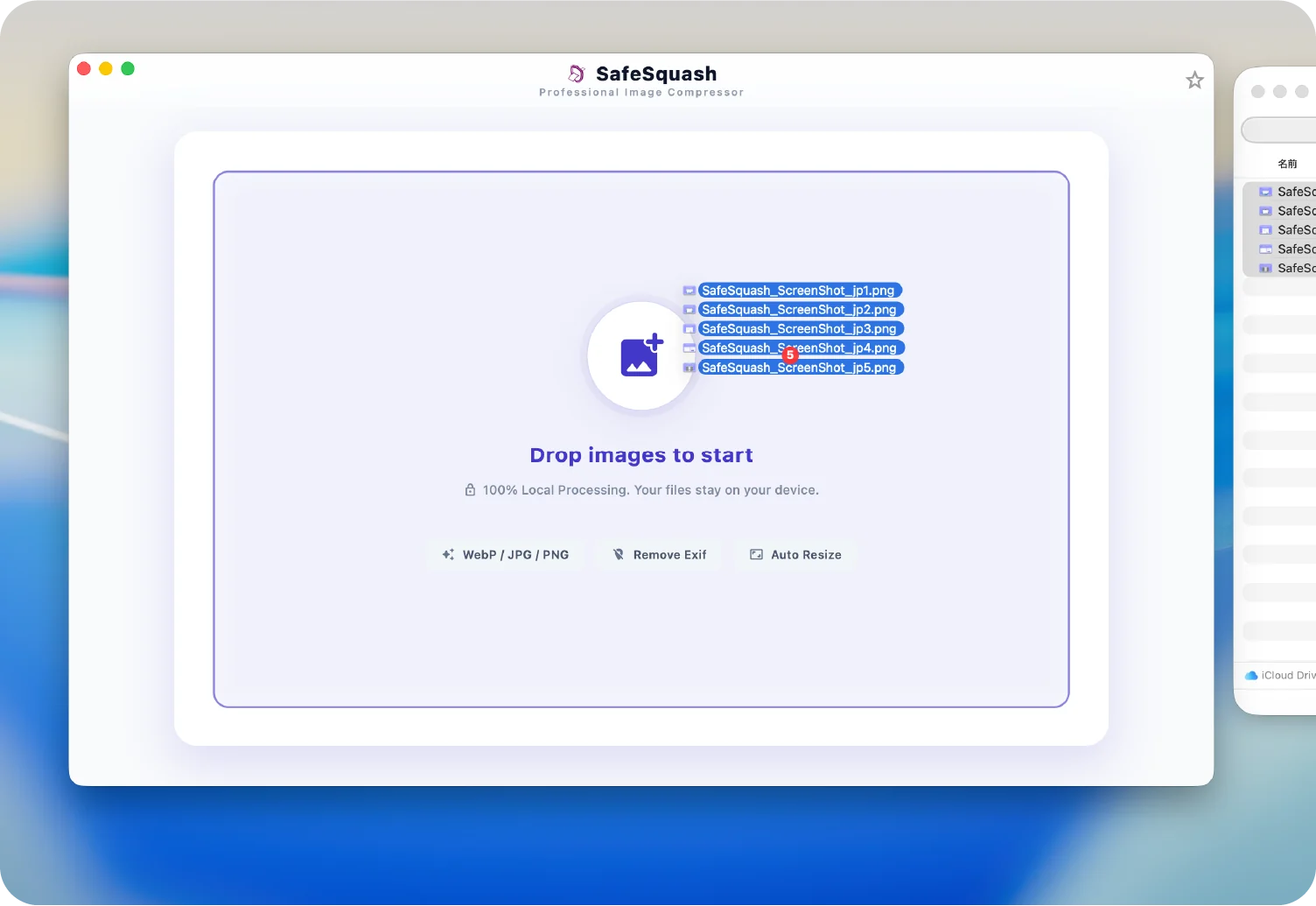
App summary
Who it helps
It helps with blog, ecommerce, social, and app assets when images need to be compressed, resized, converted, and cleaned before publishing.
Reduce heavy image files, export WebP assets, and prepare visuals before publishing pages or articles.
Optimize product or campaign images for sharing, while removing Exif and private metadata before upload.
Batch-optimize images for apps, landing pages, documentation, and web projects without cloud uploads, then prepare App Store Connect screenshots and icon assets from the same workflow.
Use cases
Use SafeSquash for blog image compression, WebP conversion, social media resizing, and Exif removal before publishing images.
Reduce photo file sizes before uploading them to WordPress, personal blogs, documentation, or landing pages.
Prepare ecommerce and marketing images with compression, resizing, and WebP export in one local workflow.
Delete location and camera metadata before using photos in social posts, client work, or public documents.
Official links
Use these official pages for support, privacy information, and terms of service.
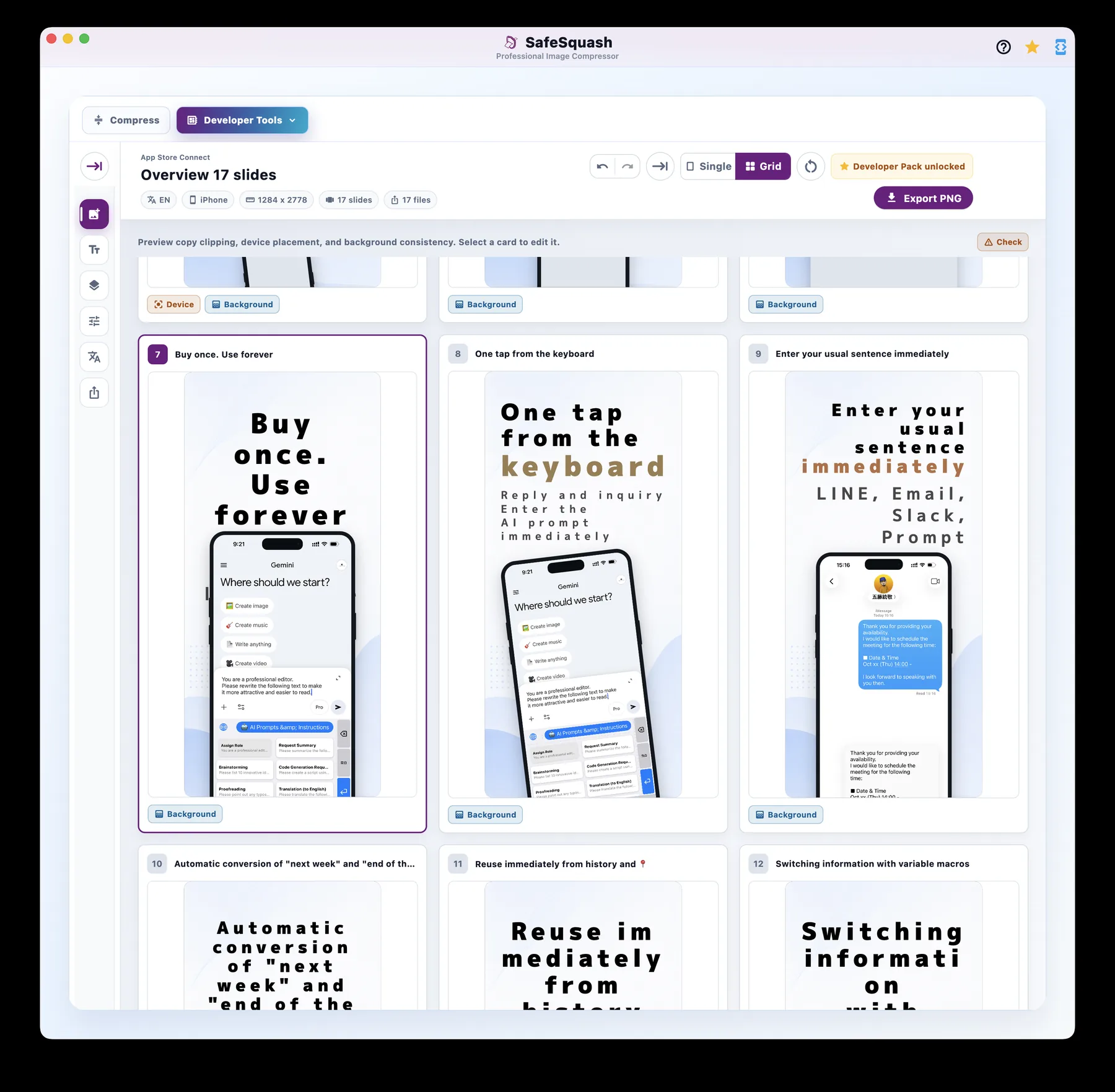
SafeSquash now expands its developer toolkit with App Store Connect screenshot creation, alongside image optimization and icon generation.
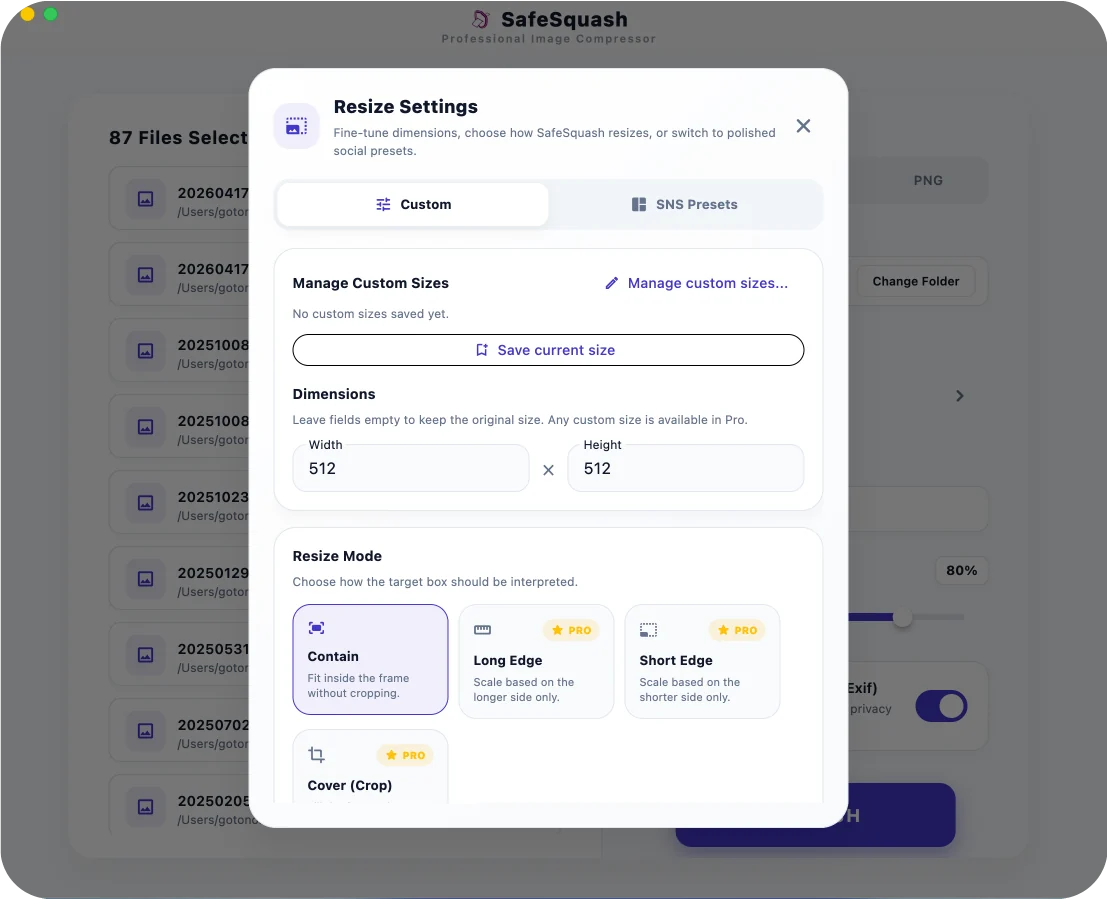
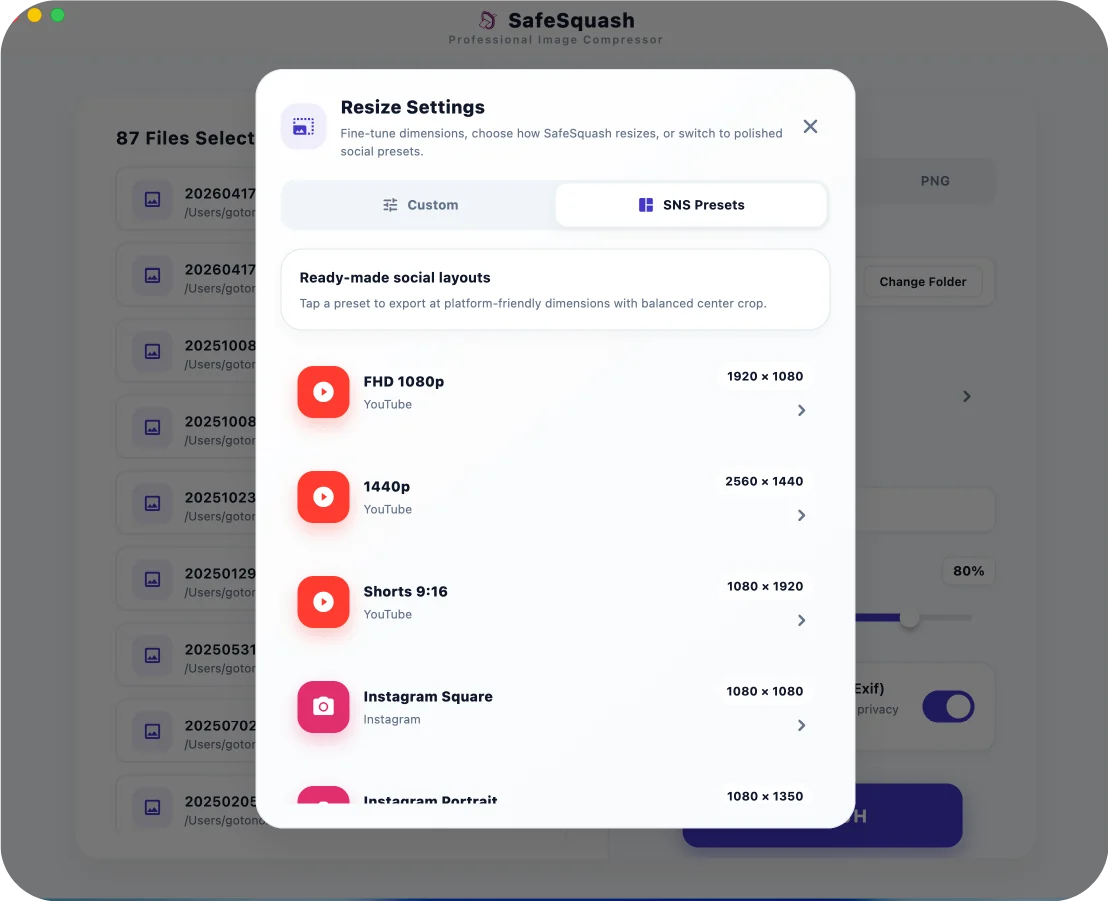
Perform perfect resizing tailored to your needs simultaneously with image compression.
Just prepare a 1024x1024 image! Generate a complete icon set required for app development with one click.
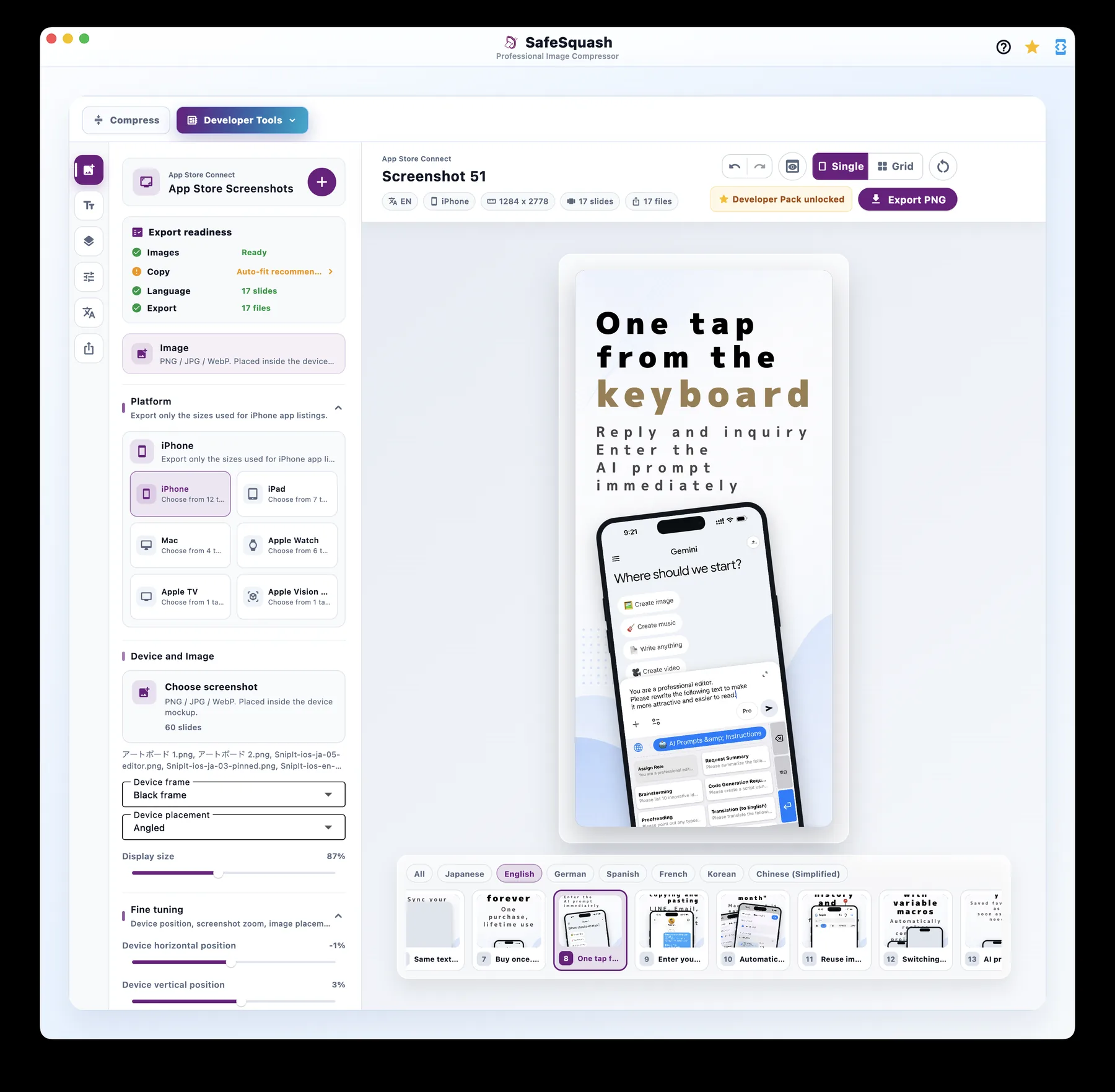
Developer Tools
Choose store listing sizes for iPhone, iPad, Mac, Apple Watch, and more. Place real app screenshots into device frames, tune copy, background, and device position, then export submission-ready PNG files.
No internet connection needed. All processing is securely executed within your device's Isolate thread. Zero risk of sensitive images leaking to external servers.
With a single toggle, cleanly strip away privacy data such as shooting location and camera model info. Bringing peace of mind before social media uploads or client deliveries.
Automatically detects your OS processor count and allocates optimal resources (up to 4 parallels) for batch conversions. Blast through massive batches of high-res images without memory exhaustion or UI freezes.
SafeSquash keeps common image optimization controls in one local workflow, without uploading files to the cloud.
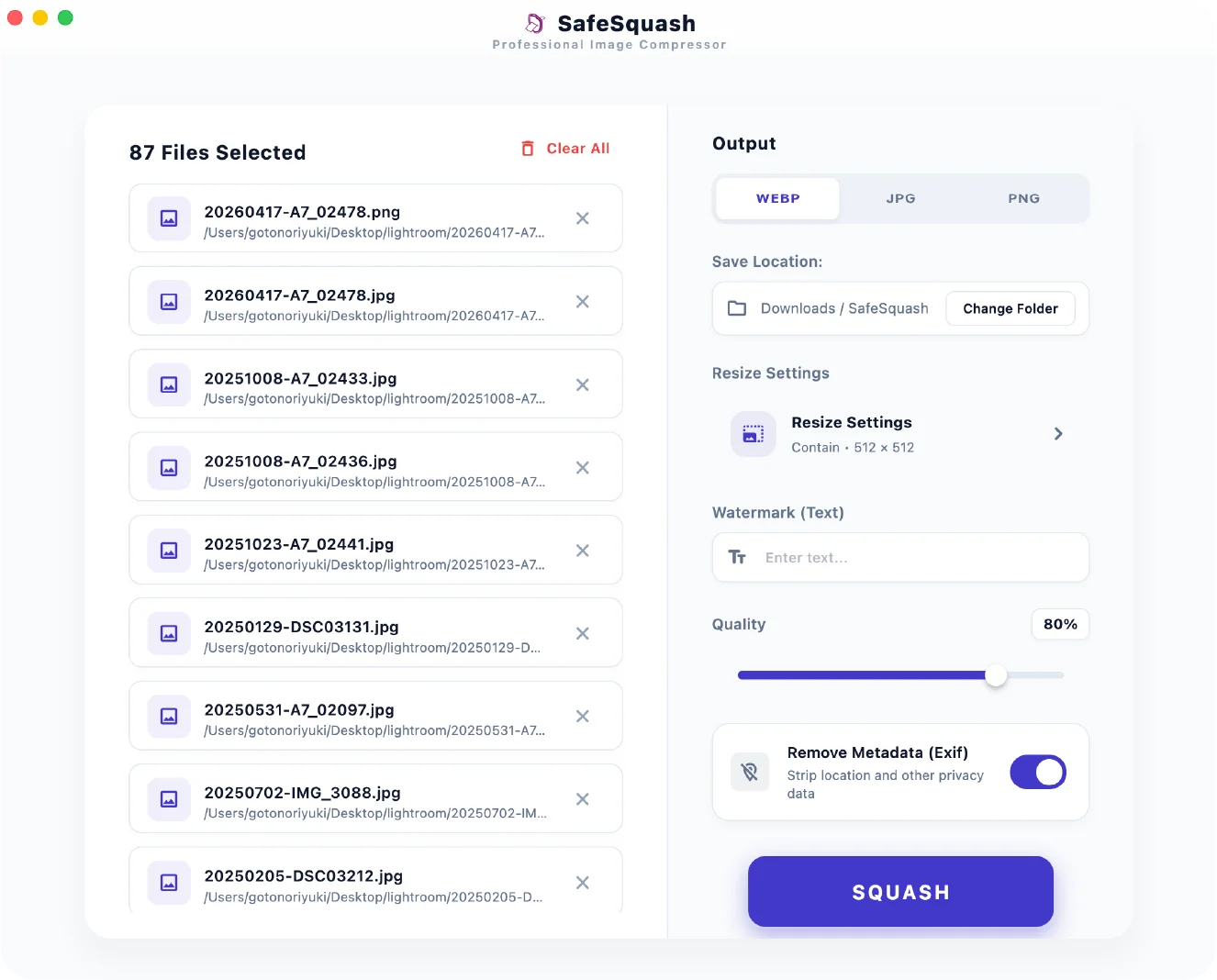
No unnecessary settings pages. Intuitive operations that get you immediate results.
Directly drop images you want to compress into the window. Multi-selection is supported.
Intuitively select the output format (WebP/JPG/PNG), quality, and whether to remove Exif data.
Hit the button to instantly convert your images. No need to "search for where it was saved"—the folder opens automatically.
Start for free. Upgrade to a lifetime tool if you love it.
Test out the basic features
Unlock all limits for professional use
Pay once. Not a subscription.
For developers creating App Store listing assets
Pay once. Not a subscription.
Official facts
SafeSquash is a local image optimization tool for compressing, converting, resizing, and removing metadata without uploading images to a cloud service.
SafeSquash is a local image optimization app for compression, WebP conversion, resizing, and metadata removal before publishing.
No, images are not uploaded to an external server. SafeSquash is designed for local processing, so compression and metadata removal can happen on your computer.
SafeSquash supports common image formats for optimization and conversion, including WebP output for web publishing.
Yes, SafeSquash can remove Exif and private metadata. It can remove camera and location information before you publish or share images.
SafeSquash is available from the Mac App Store. Please check the App Store listing for the latest price and in-app purchase details.